
Sessions · Guides
Watch a recording
Play a visit back as the person saw it, masked, with what went wrong in it and their journey beside it.
Who may watch
A recording shows what a person did on their screen, so watching one takes its own permission, Watch recordings, on top of a member's role. An admin gives it with a role on the project's page at id. The project's owners always may.
Members without it see the list of recordings, not the recordings themselves: wherever a link would open a recording, it opens the person's journey around that moment instead. Each recording watched and each journey opened is written in the project's audit log.
Find a recording
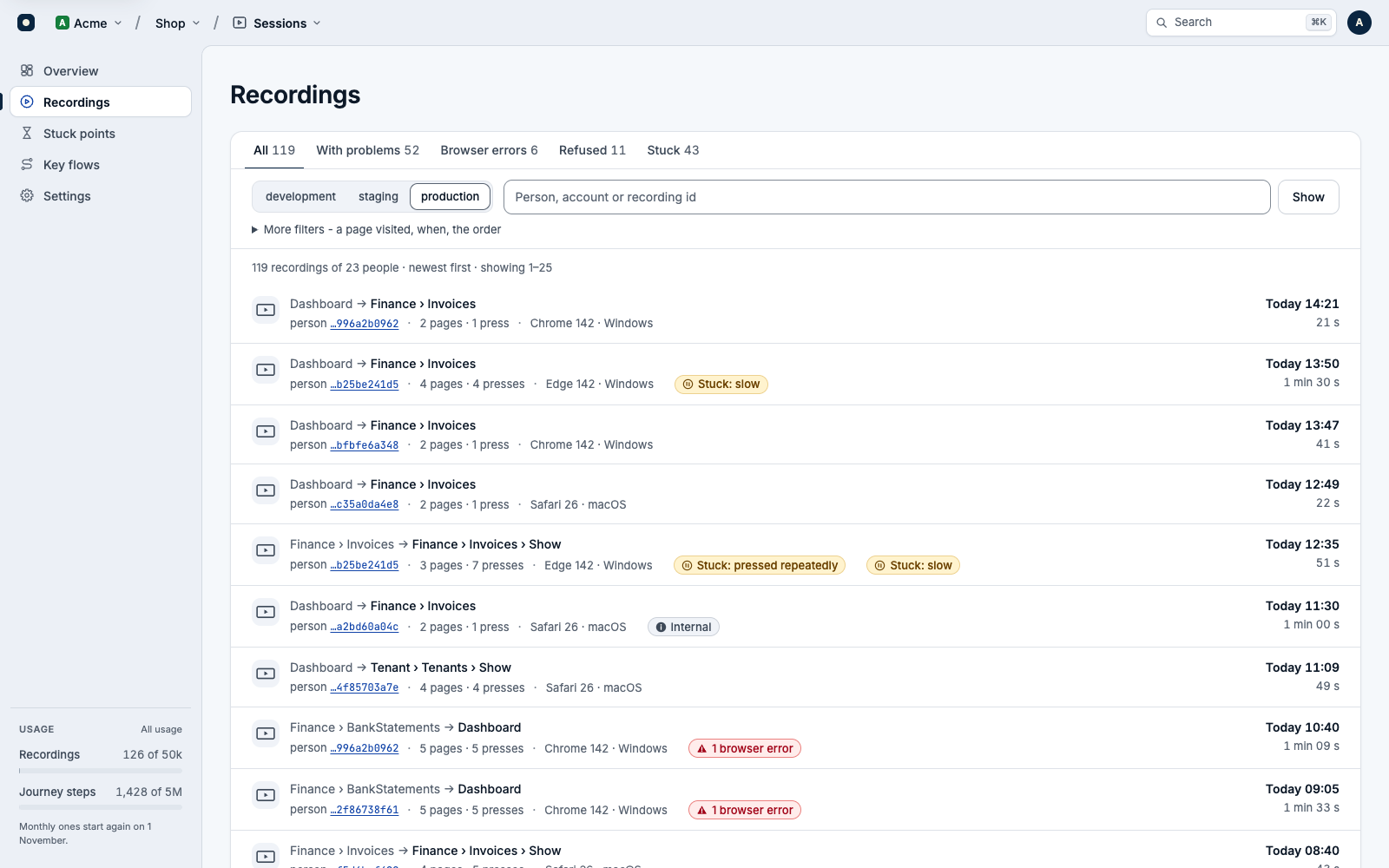
Recordings lists them by environment, newest first, by person: their id from your app, never a name. The tabs pick out the ones With problems, with Browser errors, with writes Refused, or where the person got Stuck.
- Search by a person's, an account's or a recording's id. For who may watch, a recording's whole id opens it.
- Under More filters: a page the person visited, when, and the order.
The recording's page
The head of the page says what the recording is:
- When it ran, how long, how many pages and presses, the environment, the browser, screen size and language.
- The person, with a link to their journey and to all their recordings. With Settings → Links set, a link opens the person, and their account, in your own app.
- What went wrong: browser errors, refused writes and stuck points. Whether it's masked, internal or a test.
The player plays it at 1×, 2×, 4× or 8×, full screen if you like, and copies a link to the moment you're at. Beside it, the recording's journey, each step a place to jump to. Below, the same recording in your other My Beast products, such as Errors and Logs.
A sealed player
From an error, a log line or a report
While it records, the recorder adds two headers to your page's own requests to its own origin: X-Recording-Id and X-Recording-At, the time into the recording. mybeast/sessions-laravel files each journey step under its recording, and mybeast/errors-laravel opens an error's replay at its second. Each step also names its request, so a request's lines in Logs lead to the same moment.
In the browser, hand the recorder to Errors' and Feedback's SDKs too:
import { init, createErrorReporter } from '@mybeast/errors';

// Beside the recorder: an error then links to its moment in the recording.
const errors = createErrorReporter(init(errorsConfig), {
    currentRecording: () => recorder.currentRecording(),
});
errors.install();
An error in Errors, a report in Feedback, or a request's lines in Logs then links to the recording, opened a few seconds before the moment so you see what led there. For someone who may not watch, the link opens the person's journey then.
Delete a recording
An admin of the project can delete one recording from its page: More → Delete this recording. Its files go too, and it can't be brought back. If the person's tab is still recording, Sessions refuses the rest of it (403, erased) instead of starting it again.
To erase everything of one person or one account, use the SDK: Erasing a person's data. Otherwise a recording goes by itself once it's older than your project keeps them: see What Sessions keeps.